API Key, Billing & Plan Changes
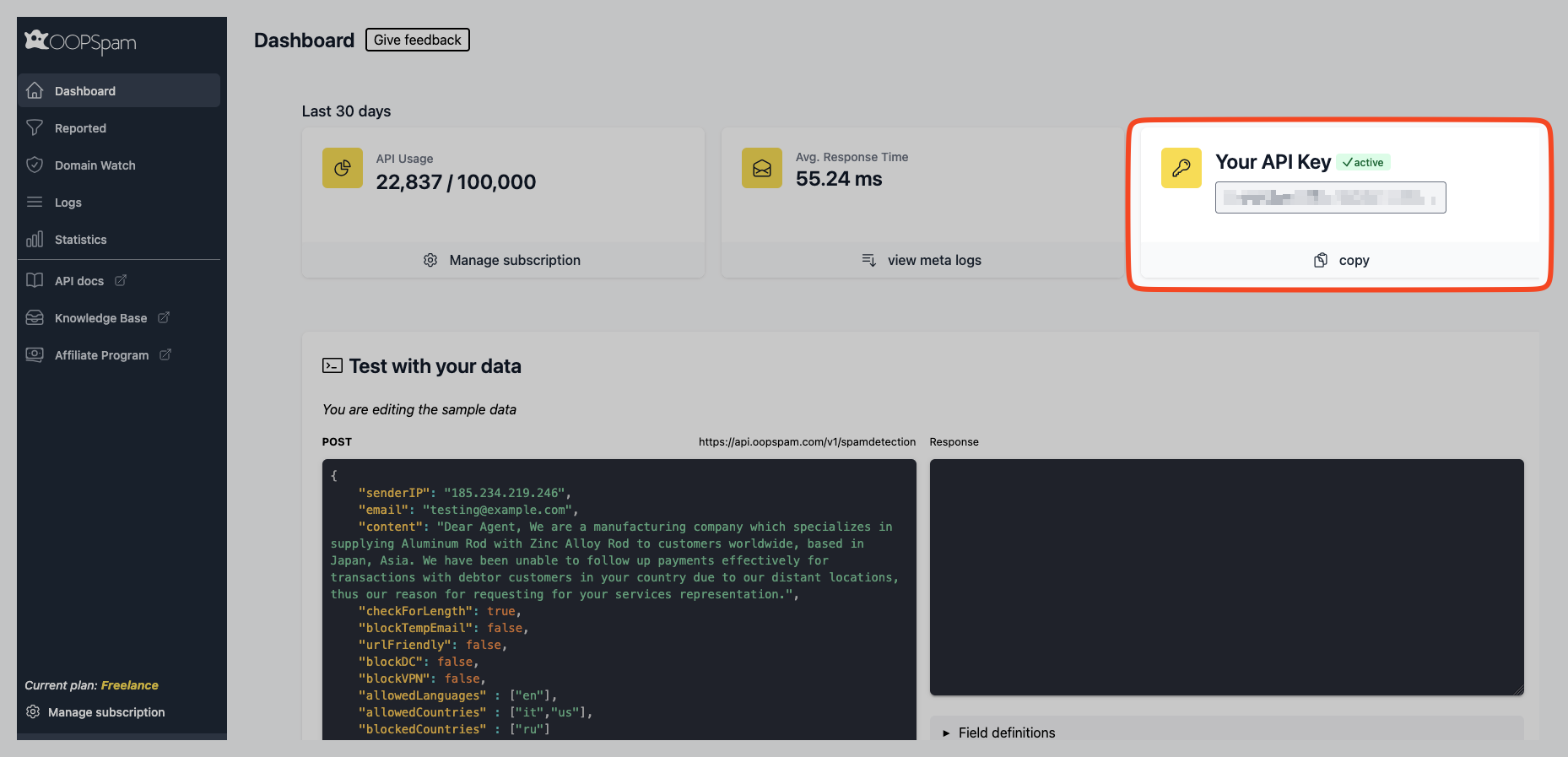
Where is my API Key?
You can find your API key in the top right corner of the dashboard’s main page, located under the “Your API key” section.
How do I rotate my API key?
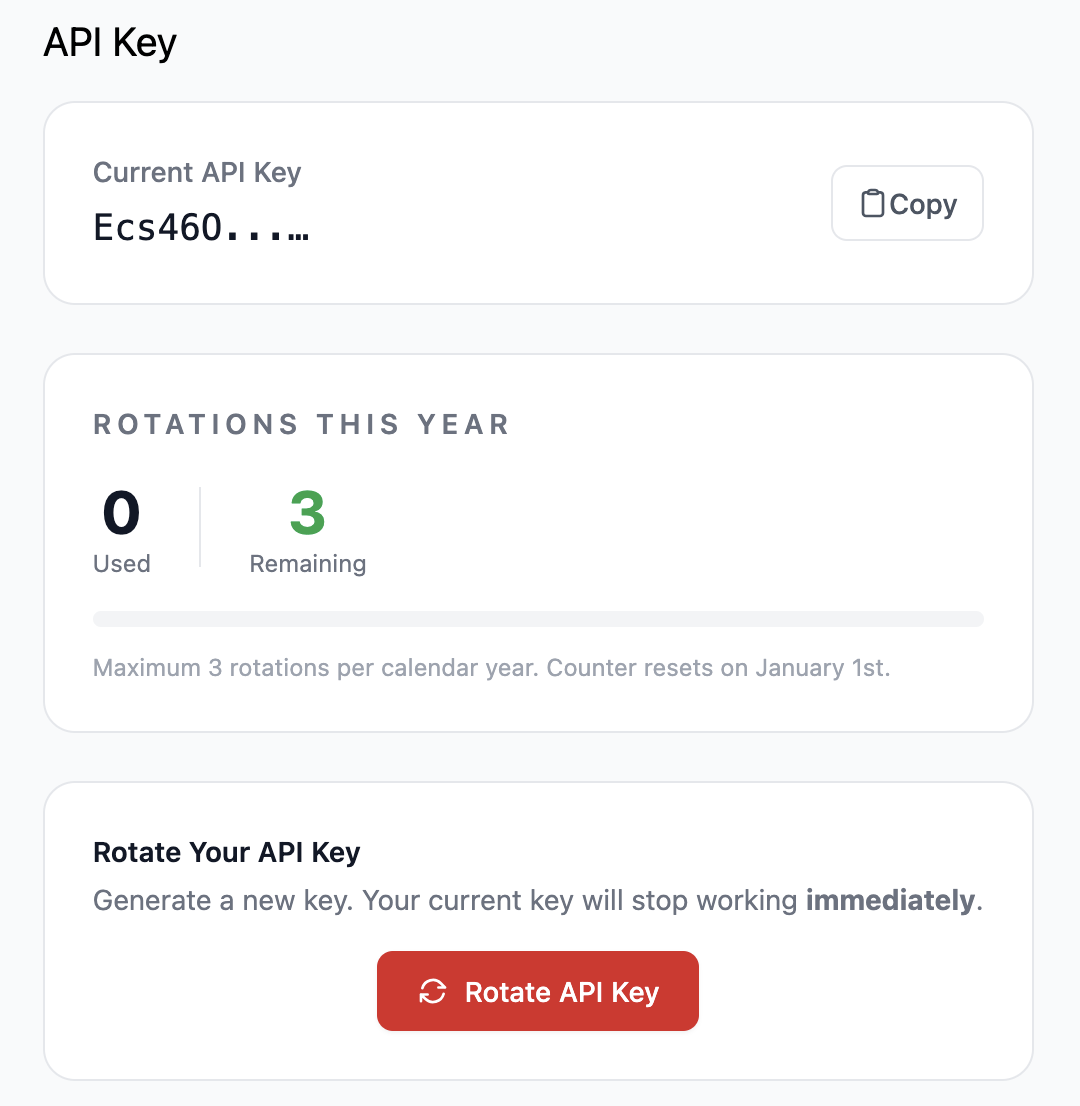
You can now rotate your oopspam API key yourself — no need to contact support.
Where to find it: Account Settings → API Key (or go directly to https://app.oopspam.com/Identity/Account/Manage/ApiKey).
What it does: Generates a new API key and immediately invalidates the old one. Use this if your key has been accidentally exposed or you’re rotating credentials as a security practice.
A few things to know:
- Available on all paid plans.
- Limited to 3 rotations per calendar year (the counter resets on January 1st).
- The old key stops working instantly — make sure to update it everywhere you use it.
How do I upgrade, downgrade or cancel my plan?
Upgrading and downgrading
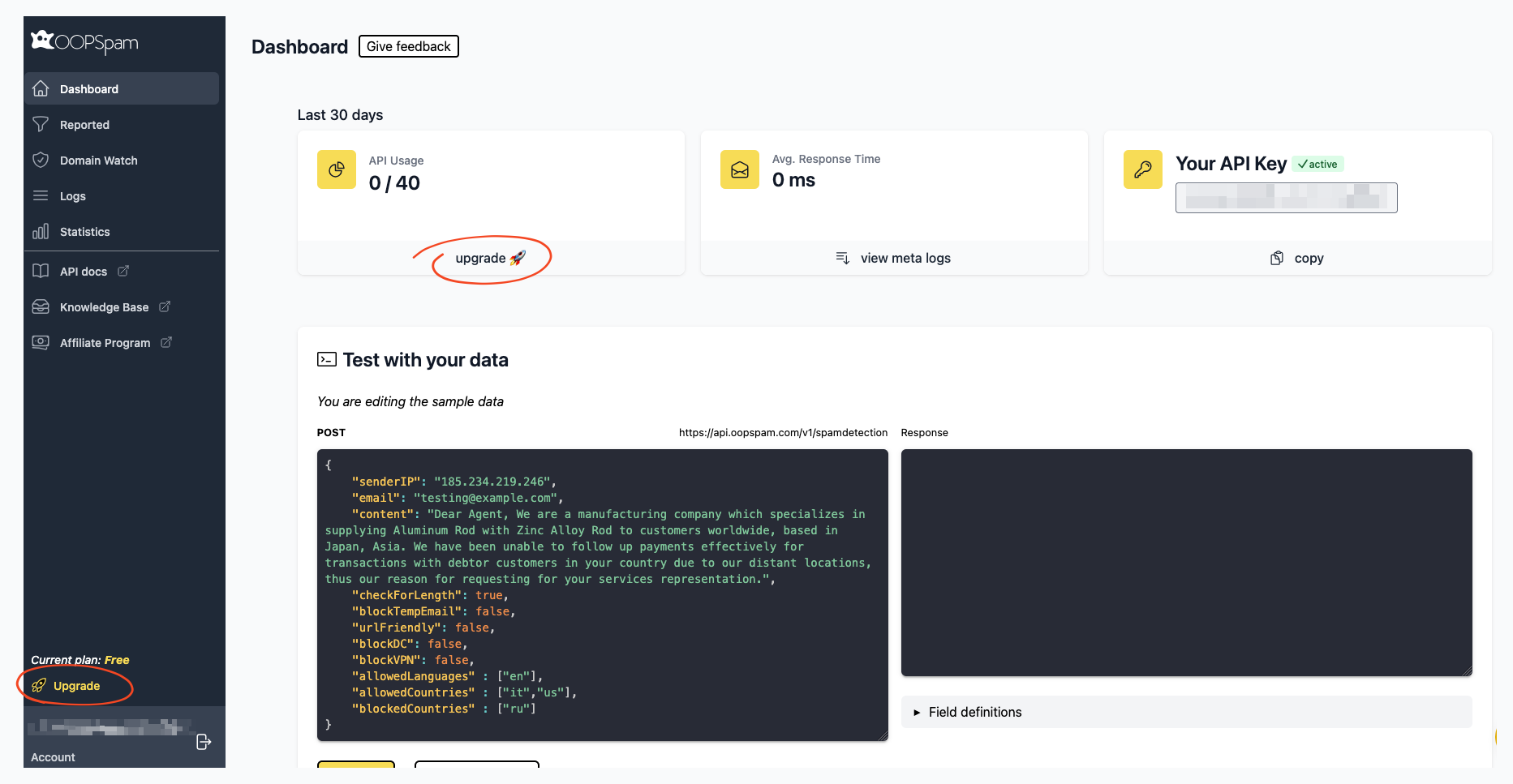
If you’re using the Free plan, clicking any Upgrade link will redirect you to the pricing page on your dashboard. Simply select your desired plan, click the upgrade button, and enter your payment details. Your account will be upgraded within seconds.
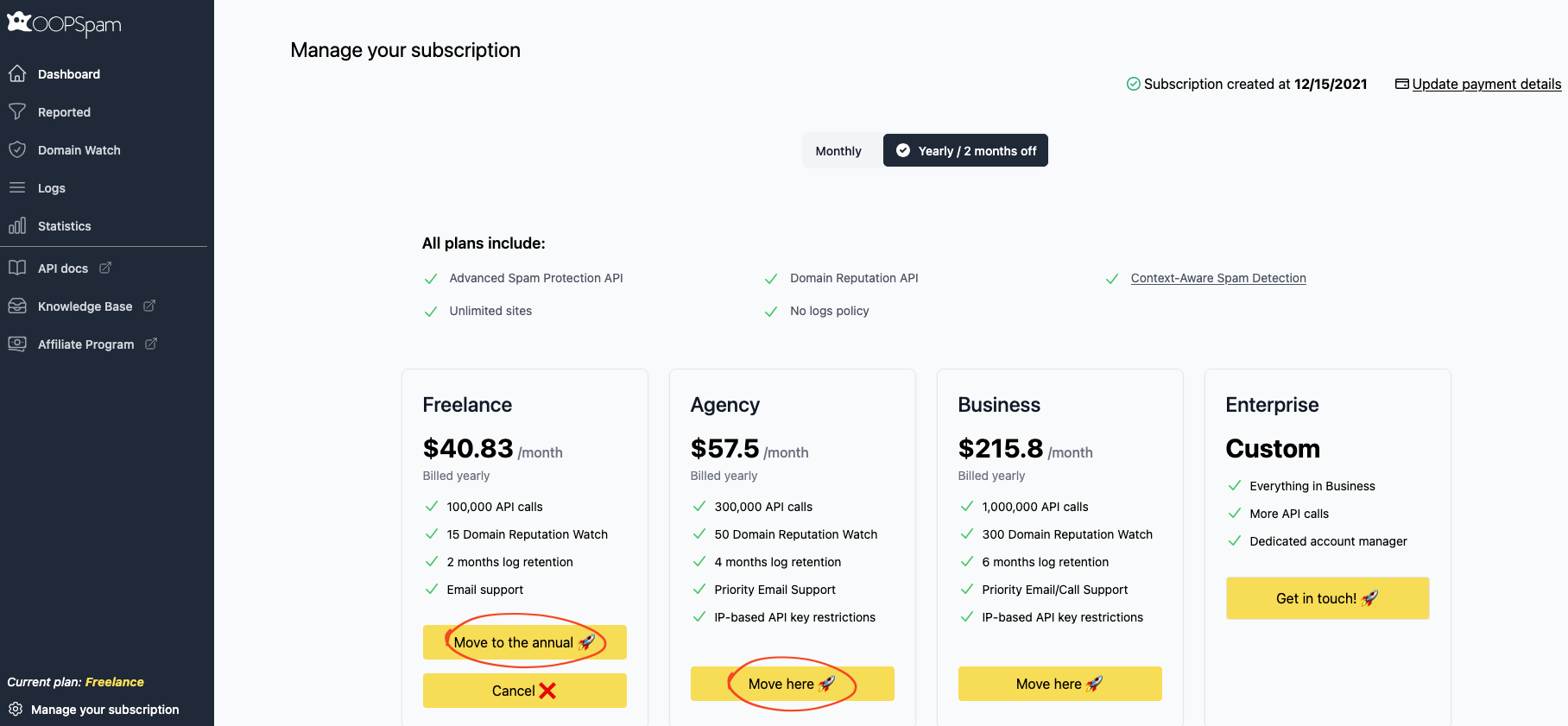
For users on paid plans, locate the “Manage your subscription” link in your dashboard. This takes you to the subscription management page where you can switch plans by clicking the “Move here” button under your desired plan. This action will upgrade or downgrade your account depending on the selected plan.
Canceling
To cancel your subscription, navigate to the “Manage your subscription” page and click the Cancel button under your current plan.
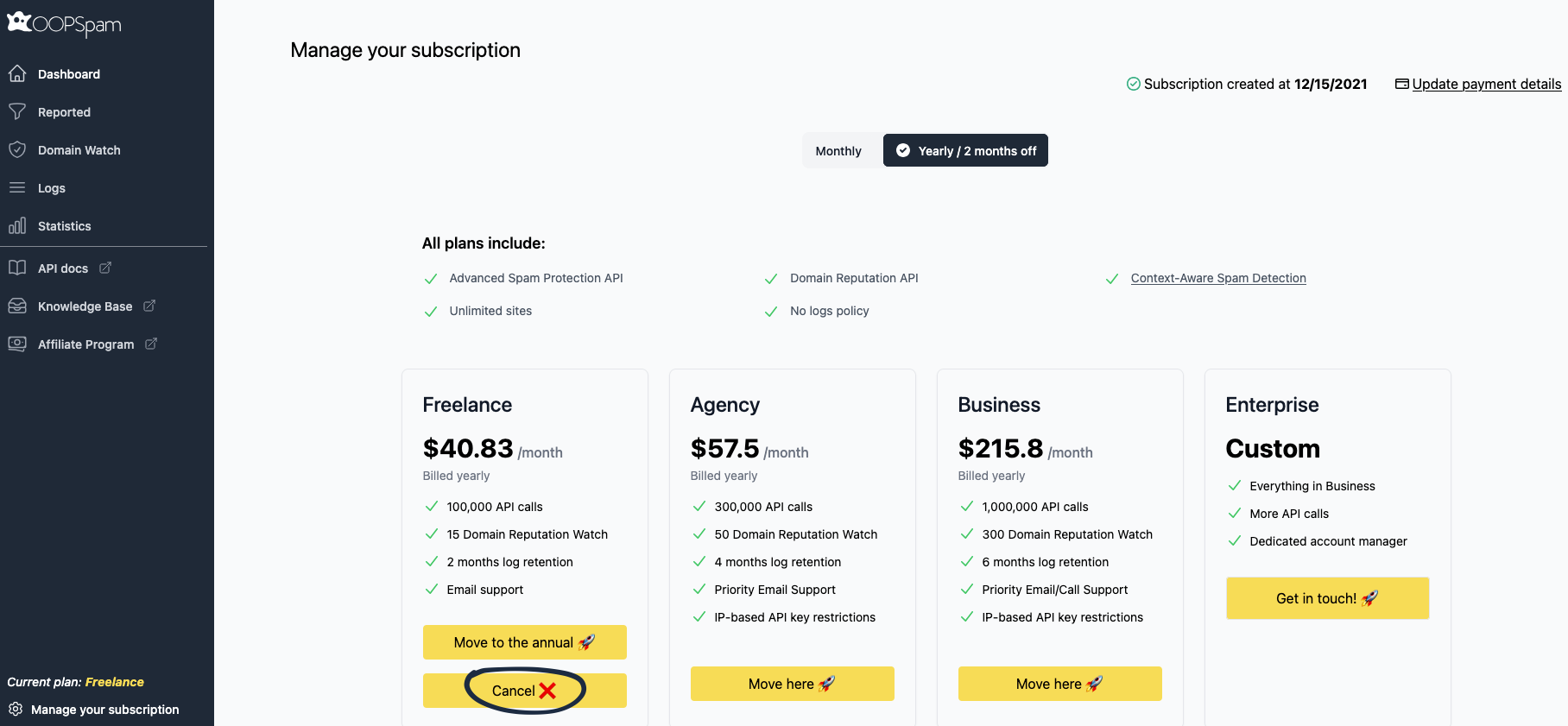
When canceling, you’ll have the option to pause the cancellation. Pausing keeps your current plan active and lets you continue using it until your next billing period, instead of canceling right away.
How to update my billing information?
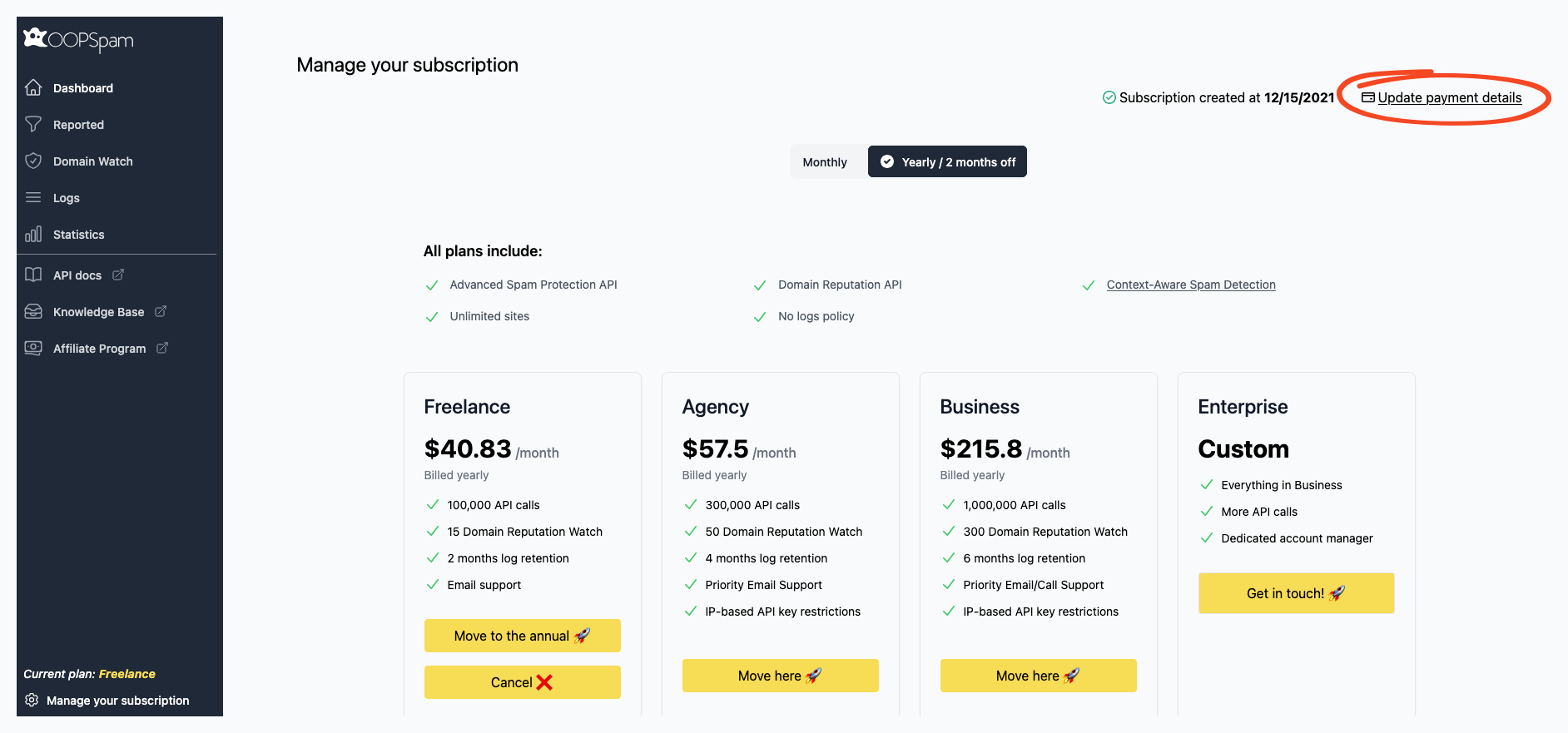
Navigate to the “Manage your subscription” page and click the “Update payment details” link to open the billing information window.
Where are the invoices?
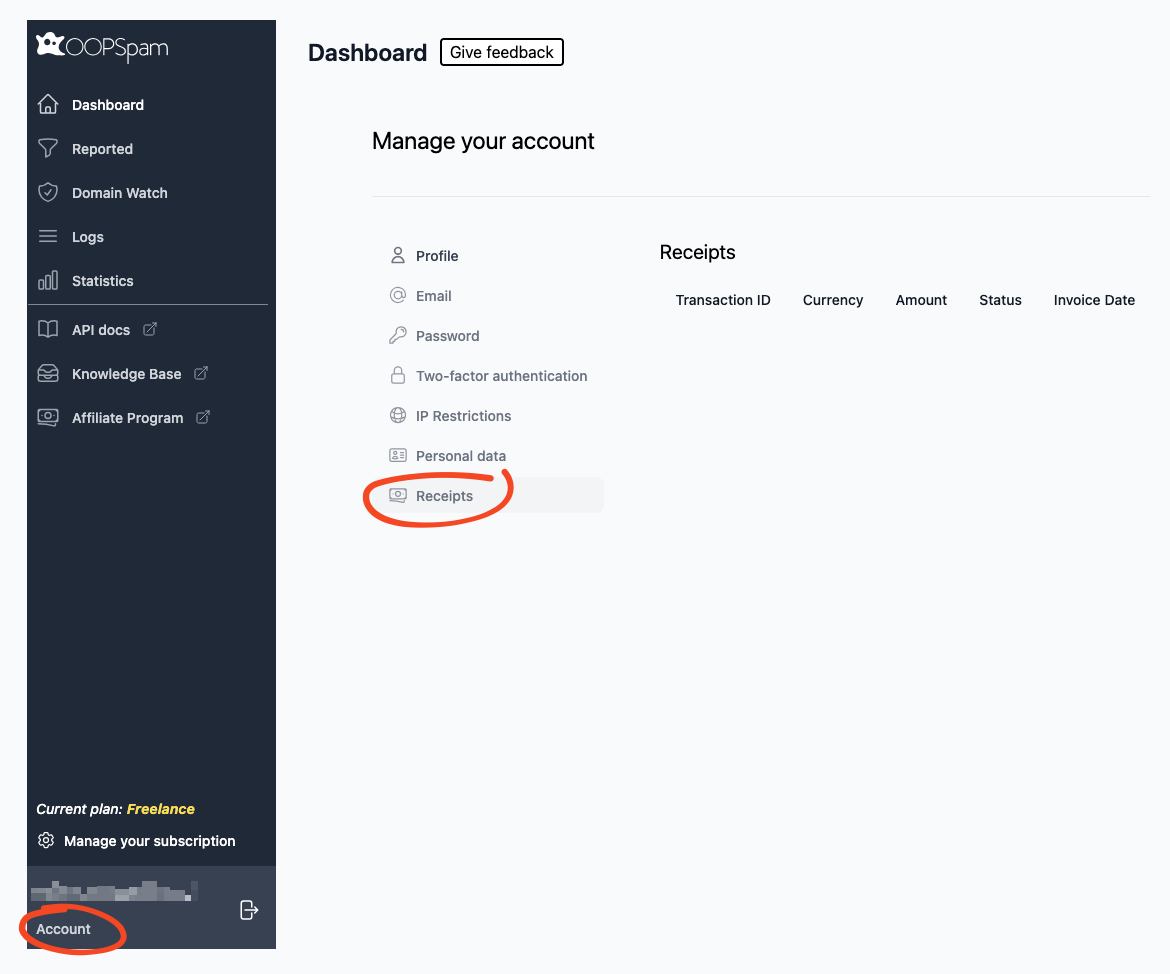
Access your receipts through the Account page. From the dashboard, navigate to Account → Receipts.
How do I add a VAT number?
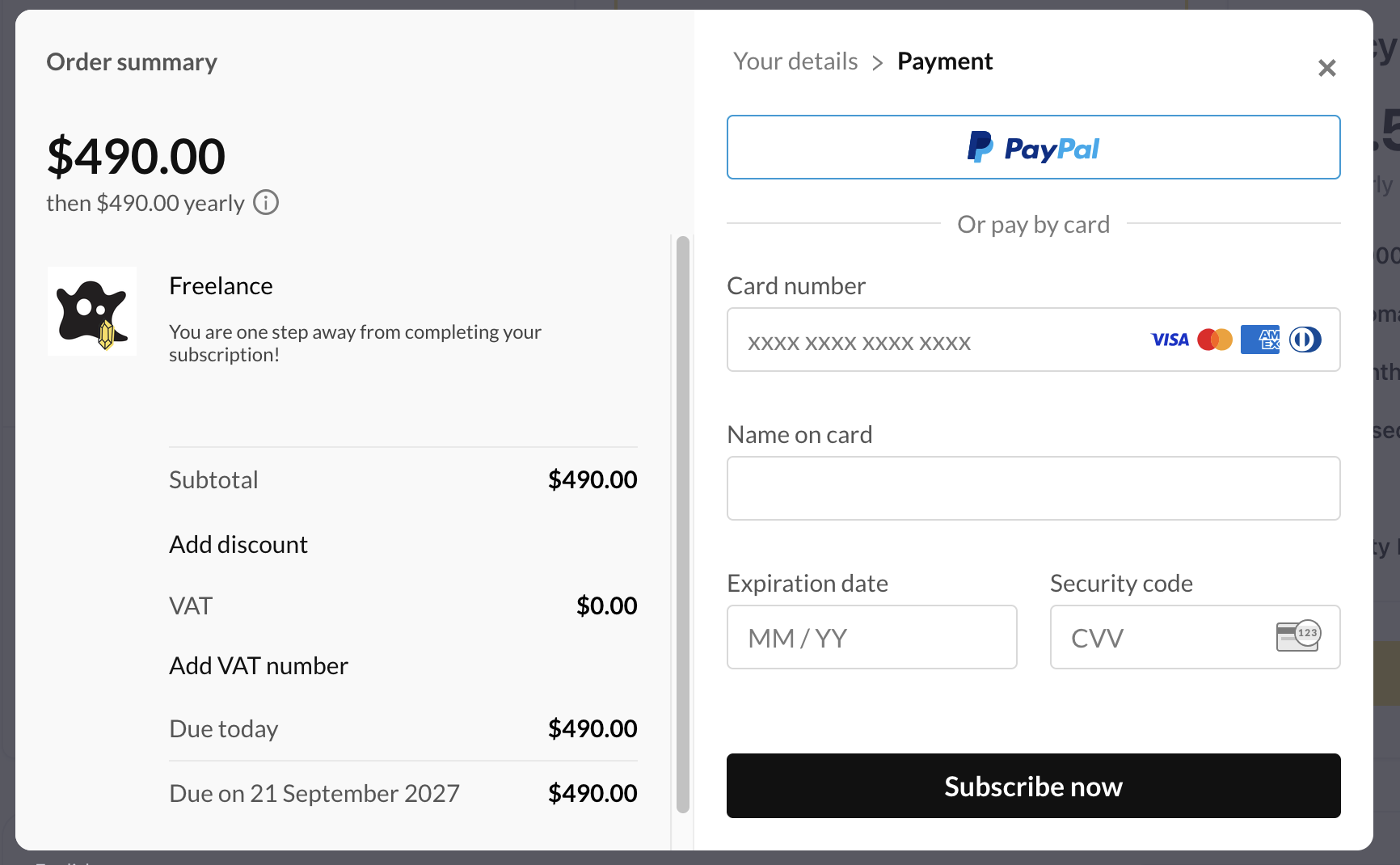
Payments and taxes are handled by Paddle, our payment provider. We have no control over entering or refunding VAT. To apply your VAT number, enter it during the checkout. The “Add VAT number” option appears on the second step of the checkout process.
A few things to keep in mind:
- Paddle only lets you enter a VAT number once during the checkout. You cannot update it later. To use a different VAT number, you have to cancel your current subscription and subscribe again with the new number. We don’t like this process either, but this is what Paddle told us.
- Once you add your VAT number and you are eligible, your taxes are refunded automatically.
Next
Dive right into the following section to get started: